

If you have just arrived in Indonesia whether in Jakarta, Bali, or any major city you will notice one thing almost immediately: everyone pays by scanning a QR code. From coffee shops in Sudirman to beach cafes in Canggu, from warungs in Ubud to parking systems in Grand Indonesia mall, QRIS has become the default way to pay across the country. But how does it actually work? Can foreigners use it? And which app should you download first? This guide answers all of it, with updated data from 2025 and practical tips for expats navigating daily life in Indonesia.
What Is QRIS and Why It Matters
QRIS (Quick Response Code Indonesian Standard) is a unified QR payment system developed by Bank Indonesia and launched on January 1, 2020. The concept is elegant in its simplicity: before QRIS, every payment app had its own QR code. A merchant accepting GoPay had a different code from one accepting OVO or BCA. QRIS eliminated that fragmentation entirely. Now, one single QR code works with every supported app.
The name is also a play on words. QRIS is pronounced the same as “keris”, the traditional Indonesian dagger, a nod to national identity woven into a modern payment system.
The scale of adoption in 2025 is hard to overstate. Here are the numbers that tell the real story:
59 million QRIS users by the end of 2025 surpassing Bank Indonesia’s annual target of 58 million.
42 million merchants nationwide accept QRIS above the 40 million target, with 90%+ being MSMEs.
IDR 317 trillion in total transaction value in Q2 2025 alone a 121% year-on-year increase.
QRIS Tap (NFC-based) launched in March 2025 47.8 million users and 648,000 merchants by June 2025.
QRIS has also expanded internationally. As of August 2025, it is accepted in Thailand, Malaysia, Singapore, and now Japan, the first non-ASEAN country to adopt it, launched on Indonesia’s 80th Independence Day. Cross-border trials with China and Saudi Arabia are also underway.
How QRIS Works (Simple Explanation)
Think of QRIS like a universal power adapter for payments. No matter which “plug” (app) you use, it fits the same socket (QR code). The entire transaction is designed to take under ten seconds from scan to confirmation. Here is the flow:
- The merchant displays a printed or digital QRIS code at their counter.
- You open your banking or e-wallet app and tap the “Scan QR” or “Pay” button.
- Point your camera at the QRIS code it auto-reads in under a second.
- Enter the payment amount if it is not auto-filled (some merchants pre-set the amount).
- Review the merchant name and amount, then confirm.
- Both you and the merchant receive instant digital confirmation.
There is no cash, no card, no change, and no waiting. The newer QRIS Tap version, launched in March 2025, goes one step further. You simply tap your phone against an NFC reader and the payment is done, similar to how contactless cards work in Europe or the US.
Who Can Use QRIS? Locals vs Expats
Both locals and expats can use QRIS, but there is one core requirement: you need access to a compatible Indonesian payment app linked to a funded account.
For expats with a KITAS: You can open a full-featured local bank account or digital bank (BCA, Mandiri, Jenius, Digibank) and gain unrestricted QRIS access with higher transaction limits. This is the recommended setup for anyone staying long-term in Jakarta or Bali.
For expats without a KITAS: Some e-wallets like GoPay, OVO, and DANA allow “basic tier” accounts using just a phone number and ID scan. These accounts support QRIS payments but come with lower daily limits (typically IDR 2 million per transaction for unverified accounts). For most daily expenses like coffee, food, and transport, this is more than sufficient.
For tourists and short-term visitors: QRIS Cross-Border means that if you are visiting from Thailand, Malaysia, Singapore, or Japan, you may be able to use your home country’s payment app to scan QRIS codes in Indonesia. Check whether your app participates in the cross-border program.
Also read: KITAS and KITAP Indonesia 2026: Complete Guide
Apps That Support QRIS Payments
QRIS is supported across virtually all Indonesian banking and e-wallet apps. Here is a breakdown of the most commonly used platforms, particularly among expats living in Jakarta, Kemang, and Bali:
| App / Platform | Type | QRIS Support | Best For Expats? |
| GoPay (Gojek) | E-wallet | Full QRIS | Yes, widely used, app in English |
| OVO | E-wallet | Full QRIS | Yes, accepted at most retail locations |
| DANA | E-wallet | Full QRIS | Yes, easy top-up, expat-friendly |
| ShopeePay | E-wallet | Full QRIS | Good for Shopee users & promotions |
| BCA Mobile (myBCA) | Bank app | Full QRIS | Yes, best for BCA account holders |
| Livin’ by Mandiri | Bank app | Full QRIS | Yes reliable, wide ATM network |
| Jenius (SMBC) | Digital bank | Full QRIS | Yes, popular among expats in Jakarta |
| Digibank (DBS) | Digital bank | Full QRIS | Yes, good for international users |
Expat recommendation: Most long-term expats use a combination of GoPay or DANA for quick daily payments (easy top-up, often has promo discounts) alongside their main bank app (BCA Mobile or Livin’ by Mandiri) for higher-value transactions. Jenius and Digibank are especially popular with expats who also need multicurrency functionality in the same app.
Step-by-Step: How to Pay Using QRIS
Scan and Pay Process
The payment flow is identical across all supported apps:
- Open your app (GoPay, BCA Mobile, Jenius, etc.).
- Tap the “Scan QR”, “Pay”, or QR icon usually prominently displayed on the home screen.
- Point your phone’s camera directly at the QRIS code displayed by the merchant.
- The app reads the code instantly and pulls up the merchant name.
- Enter the amount if it is not pre-set, or confirm the displayed amount.
- Review: check the merchant name and total match what you expect.
- Tap “Confirm” or “Pay Now” to complete the transaction.
Payment Confirmation
Within seconds, you will receive a green confirmation screen with the transaction reference number. The merchant’s device also receives simultaneous confirmation. Always wait for this confirmation before leaving, do not assume the payment went through just because you tapped “Pay”. If you are in a low-signal area, step closer to the door or ask the merchant to wait a moment while your connection stabilizes.
Where QRIS Is Accepted in Indonesia

One of QRIS’s greatest strengths is its reach. With 42 million merchant locations as of end-2025, it is genuinely hard to find a business in Indonesia that does not accept it. Here is a breakdown by location:
| Location / Area | Where QRIS Is Accepted |
| Jakarta – SCBD, Sudirman, Thamrin | Cafes, restaurants, office canteens, malls (Grand Indonesia, Plaza Indonesia), parking systems, convenience stores (Indomaret, Alfamart), Transjakarta ticketing |
| Jakarta – Kemang, Menteng, Kuningan | International restaurants, co-working spaces, gyms, supermarkets (Ranch Market, Kemchicks) |
| Bali – Canggu, Seminyak | Beach clubs, surf shops, cafes, boutique stores, yoga studios, co-working spaces |
| Bali – Ubud, Kuta, Nusa Dua | Restaurants, local markets (Pasar Ubud), art galleries, tour operators, hotel restaurants |
| Everyday & small merchants | Street food stalls (warungs), traditional wet markets, local ojek/online taxi payment, laundry services, pharmacies |
| Cross-border (new in 2025) | Thailand, Malaysia, Singapore and now Japan (launched August 17, 2025) |
In many cases, QRIS is now preferred over cash even by small vendors. Many warungs and street food stalls in Bali and Jakarta display a QRIS code on their counter and actively encourage digital payment. It is faster, traceable, and eliminates change disputes.
Limits, Fees, and Currency Notes
Transaction Limits
Your QRIS transaction limit depends on your account verification level:
- Unverified / basic accounts: IDR 2 million per transaction, IDR 20 million per month
- Verified accounts (with KITAS/KTP): IDR 10 million per transaction, up to IDR 40 million per month
- Premium / full-verified bank accounts: Higher limits set by individual banks typically up to IDR 50 million per transaction
Currency
QRIS transactions are processed exclusively in Indonesian Rupiah (IDR). If your account holds foreign currency (USD, EUR), your app will automatically convert at its internal rate before processing the payment. This conversion may include a spread or fee, so it is always more efficient to keep an IDR balance in your account for day-to-day QRIS payments.
Fees
For consumers, QRIS payments are free in most cases. Bank Indonesia caps the Merchant Discount Rate (MDR) at 0.7% for standard merchants and 0.4% for government and social sectors. This is a merchant-side cost, not passed on to you. However, some e-wallet platforms may charge a small fee for topping up your balance via credit card or certain transfer methods. Always check your app’s fee structure when loading funds.
Common Mistakes to Avoid
1. Trying to use a foreign banking app. International apps like Revolut, Wise, or your home country’s banking app will not scan QRIS codes directly. QRIS is a closed Indonesian standard where you must use an Indonesian app. The only exception is the Cross-Border QRIS program for users from Thailand, Malaysia, Singapore, and Japan using their own country’s participating apps.
2. Not verifying your account. An unverified e-wallet account limits you to IDR 2 million per transaction. If you are trying to pay for dinner for four at a Bali beach club, you will hit that wall fast. Complete your KYC verification immediately after downloading the app.
3. Poor internet connection. QRIS requires real-time internet confirmation. In areas with weak signal (some parts of Ubud, basement parking areas, remote beaches), the payment may time out. Wait for a stronger signal or switch to a Wi-Fi connection if available.
4. Not checking the merchant name on screen. Before confirming any QRIS payment, always verify the merchant name shown on your app matches who you intend to pay. Scammers have occasionally placed fraudulent QR codes over legitimate merchant codes in busy markets. A one-second glance at the merchant name protects you entirely.
5. Relying on QRIS for foreign currency payments. QRIS does not process in USD or EUR. If you are expecting to pay in foreign currency, you will need an alternative method. For large international payments (property deposits, rent wire transfers), a separate international transfer setup is required.
Why QRIS Is Essential in Daily Life
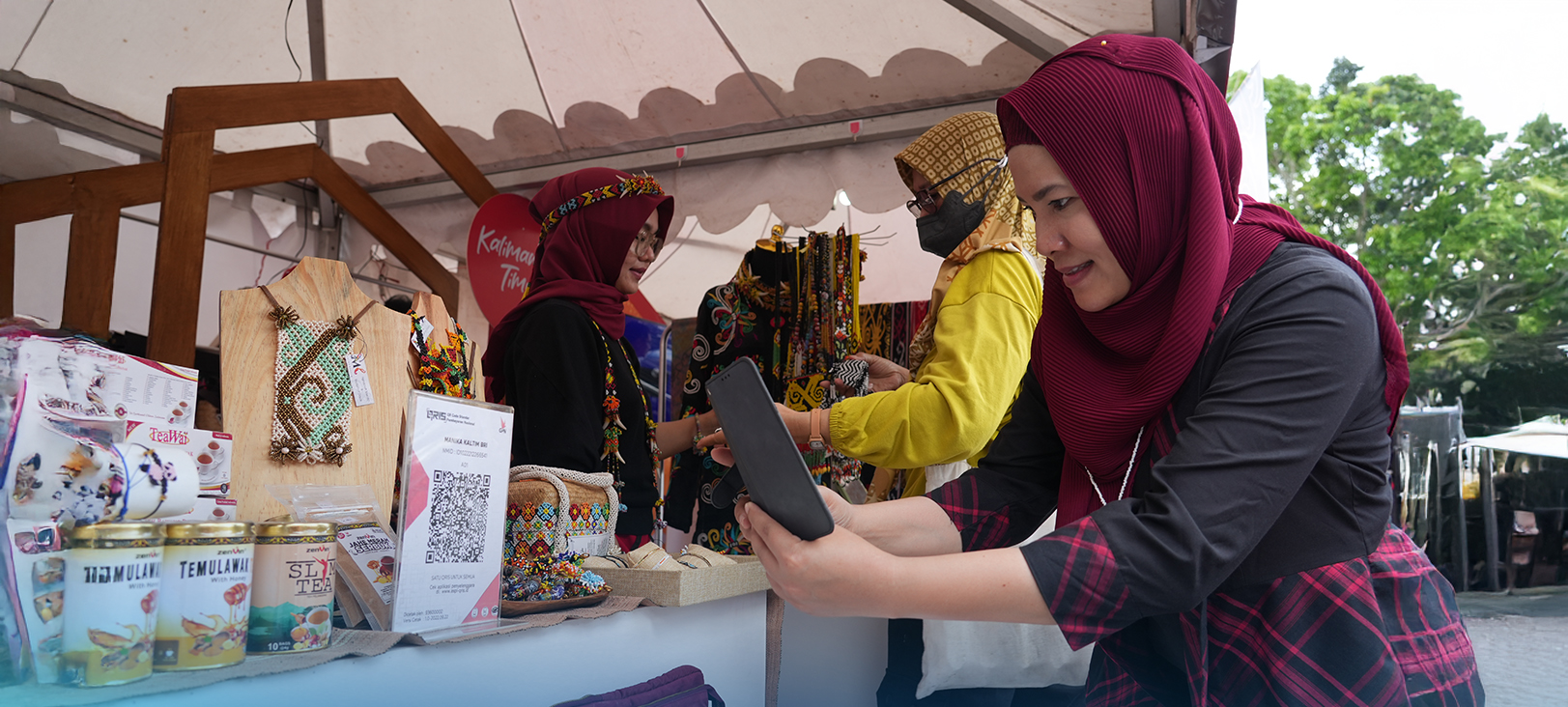
Living in Indonesia without QRIS is technically possible but genuinely inconvenient. It is the fastest, most widely accepted, and simplest way to pay for almost anything from your morning kopi susu to your monthly gym membership. The best setup for any expat combines a verified QRIS-enabled app (ideally linked to a local bank account) for daily spending, alongside a dedicated international account for handling foreign currencies and large transfers.
The five-minute investment of setting up a compatible app and completing your verification will pay dividends every single day of your life in Indonesia. Bring your phone, skip the cash.
Moving to Indonesia? Noble Asia Makes the Transition Seamless
From setting up your local banking and payments to finding the right home in Jakarta’s SCBD or a villa in Canggu, the practical logistics of relocating to Indonesia can be overwhelming without the right support.
Noble Asia helps expats and foreign investors navigate every step: relocation services, property advisory, villa management in Bali, rental coordination, and hands-on guidance for banking setup and daily life. Our team is on the ground so you do not have to figure it out alone.
Speak with our team today for personalized expat guidance on relocating to Jakarta or Bali.
FAQ – How to Use QRIS for Cashless Payments
What is QRIS and how does it work in Indonesia?
QRIS (Quick Response Code Indonesian Standard) is a unified QR payment system introduced by Bank Indonesia in 2019. It allows you to pay at any merchant using a single QR code, regardless of which banking or e-wallet app you use. You simply open your app, scan the code, confirm the amount, and the transaction completes in seconds.
Can foreigners use QRIS in Indonesia?
Yes, but you need access to a compatible Indonesian banking app or e-wallet. Most full-featured accounts require a KITAS for verification. Some e-wallets like GoPay or DANA allow limited-tier accounts with basic access for users without a KITAS, though transaction limits will be lower.
Which apps can scan QRIS codes?
Most Indonesian mobile banking apps and e-wallets support QRIS, including GoPay, OVO, DANA, ShopeePay, BCA Mobile, Livin’ by Mandiri, Jenius, and Digibank. Any app displaying the QRIS logo is compatible.
Is QRIS accepted everywhere in Jakarta and Bali?
Almost everywhere. By the end of 2025, QRIS had over 42 million merchant locations nationwide, from high-end malls in SCBD to warungs in Ubud. If a business accepts digital payment in Indonesia, it almost certainly accepts QRIS.
Can I pay in USD or EUR using QRIS?
No. QRIS transactions are processed exclusively in Indonesian Rupiah (IDR). Your app will use its own conversion rate if your linked account holds foreign currency, which may include a spread or fee.
Do I need the internet to use QRIS?
Yes, a stable connection is required for real-time payment confirmation. In poor signal areas, wait for a stronger connection before initiating payment the merchant’s system also needs to confirm receipt.
Are there fees when using QRIS?
For consumers, most QRIS payments are free. Merchants pay a maximum MDR (Merchant Discount Rate) of 0.7% for standard merchants, capped by Bank Indonesia regulations. Some e-wallet top-ups or currency conversions within the app may carry separate charges.
What happens if my QRIS payment fails?
The transaction will not be processed and no funds will be deducted. Always wait for the green confirmation screen before leaving a merchant. If you see an error, check your balance and connection, then retry.